The Time Machine
for Your PLC


For modern PLC environments
PLCGit currently supports Siemens S7-1500 and TIA Portal from version 14 onwards. Further controllers and PLC program versions will be added gradually.

Securely Versioned
PLC projects are reliably backed up and can be restored to a previous state if necessary. This ensures that important project states remain available at all times.

Ready to use immediately
PLCGit runs in a Docker container and can be flexibly operated in your environment – both on-premises and in the cloud.

Git for OT
Currently, backup and restore are the main focus. In the future, graphical version comparison, diff, and merge functions will be added, so that different code versions can be compared and merged into a unified version.
Collaboration functionality will also be added, allowing work from multiple teams to be combined into a single PLC program. Later, these changes can be separated again.
Safely back. Clearly forward.

Securing PLC projects
Create reliable backups of your Siemens S7‑1500 projects and store defined project states in a central repository. This ensures that a dependable backup is always available when it matters most.

Merging Versions
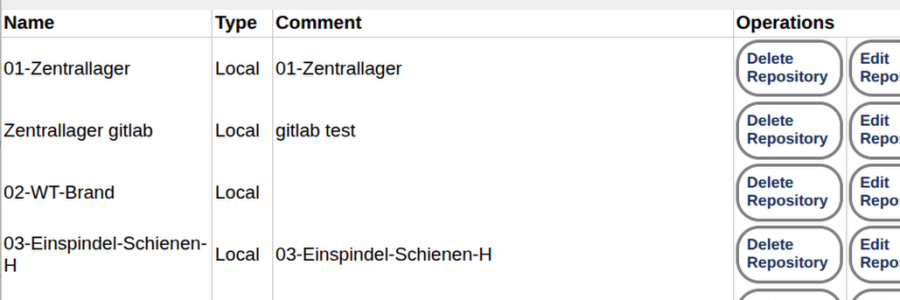
The upcoming merge feature will allow different development versions to be combined into a single unified code version. This will transform PLCGit from a backup system into a full version control system for operational technology (OT).

Restore project states
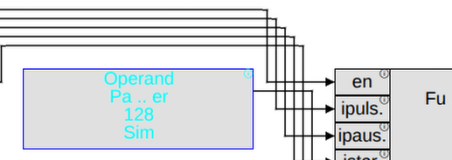
Restore a saved state — without manually searching for old project files. PLCGit allows you to selectively restore saved PLC projects.

Compare versions
In the future, PLCGit will visualize changes between different project versions. A graphical comparison will help you quickly identify and understand differences in the PLC code.
From PLC stand to secure backup
PLCGit integrates seamlessly into existing OT environments, runs flexibly on‑premises or in the cloud, and makes backup and restore of Siemens S7‑1500 states a clear, controlled process — with upcoming diff, compare, and merge functions in view.
-
Deploy PLCGit
Start PLCGit as a Docker container and run it in your desired environment – locally, on-premise or in the cloud.
-
Securing the PLC project
Reliably capture and centrally store the current status of your Siemens S7-1500 as a backup. This creates a traceable history of your project statuses step by step.
-
Select Secured State
If you need a previous project version, simply select the appropriate backup – without having to search extensively for local files or old project copies.
-
Restore project status
The selected state can be specifically written back to the PLC, thus quickly returning to a defined, secure state.
Designed for industrial teams

Mechanical Engineering
Save defined PLC states during development, commissioning, and handover. This ensures that important project states remain reliably available even after changes.
- Centrally back up project status
- Restore previous states
- Basis for future version comparison

Automation service providers
Keep track of different customer projects and back up relevant PLC states in a traceable and centralized manner.
- Clear separation of project statuses
- Protection against changes and handovers
- Flexible deployment on-premises or in the cloud

Maintenance
When changes don't work as planned, a reliable way to revert to previous versions is crucial. PLCGit enables the targeted restoration of previously saved PLC states.
- Defined recovery points
- Faster return to a safe position
- Less dependence on local project copies
Industrial companies
Create a central foundation for managing your PLC stations – from individual projects to multiple systems and locations.
- Central backup and restore structure
- Docker-based and flexibly operable
- Extendable to include future diff, compare, and merge functions
Your PLC deserves a backup.
Start PLCGit in just a few steps, connect it to your Siemens S7-1500 and test Backup & Restore directly – flexibly on-premise or in the cloud.
| SPS | Siemens S7-1500 |
|---|---|
| TIA Portal | ab Version 14 |
| Provision | Docker-Container |
| Operation | On-Premise oder Cloud |
| Functions | Backup & Restore |
| License | Trial version available |
Tech doku
Answer:
PLCGit currently supports Siemens S7-1500 in conjunction with TIA Portal from version 14 onwards. Further versions and controllers will be added gradually.
Answer:
Yes. PLCGit runs in a Docker container and can be operated both entirely on-premise and in a cloud environment.
Answer:
The current focus is on backup and restore. Graphical comparison, diff, and merge functions are under development or in the planning stages.
Answer:
Please check first in the license overview with the dongle list if the dongle is recognized by the PC.
The dongle must be pluged in if the software starts up. Mostly the software starts during power on of the system.
It need to be started before a user has logged in.
You can restart the Windows service "ConfigServer" or the Linux daemon "ConfigServer". You can restart the pc also.
Answer:
First please check the license server configuration in PLC‒GIT.
You will find this in the landing page "Settings" "Licenses" "Configure License Server Access".
If this is configured again look into "Settings" "Licenses". The registerdd licenses, their status and the status for the license server is shown here.
The "License Diagnostics" informs about used licenses and their status
In installations with separate agents each of the agents also has a connection to the license server.
And also as minimum one of the agent licenses need to be choosen.
Answer:
Please read this directly here or as pdf document.
Installation
Starting PLCGit as a Docker container
PLCGit is deployed in a containerized format, allowing for quick and controlled integration into existing IT and OT environments.
Deploy on-premise
Run PLCGit directly in your own infrastructure and keep data, PLC states and access within your environment.
Setting up cloud operations
Alternatively, PLCGit can be operated in a suitable cloud environment – flexibly and independently of location.
Troubleshooting
Check connection to PLC
If a backup cannot be performed, check the network connection, accessibility, and communication with the Siemens S7-1500. The responsible employee will be notified automatically.
Documentation
First Steps
From deploying the Docker container to the first backup: The introductory guide leads you step-by-step through the basic setup.
Backup & Restore
Learn how to back up, manage, and selectively restore project states on a Siemens S7-1500 when needed.
System Requirements
Here you will find all relevant information on supported PLC systems, TIA Portal versions and operating environments.
Contact
Request technical support
Do you have questions about installing, connecting to, or using PLCGit? Our support team can help you with technical issues.
Arrange a demonstration
Learn about PLCGit through a concrete use case and see how backup and restore can work in your environment.
Further Development & Integration
Do you need support for additional controllers, TIA versions, or special system environments? Talk to us about your requirements.